Selling coins, skins or a subscription inside a Godot game means dealing with two stores that work differently. Godot in-app purchases need a billing plugin for each store, a catalog that matches what you created in App Store Connect and Play Console, and a server that checks every purchase before the player gets anything. PowerUp is that catalog and that server. This page covers what Godot gives you, what it leaves to you, and how PowerUp handles the rest.
What Godot gives you
Godot has no store API in the engine. You add one plugin per store (as of October 2026):
- Android. Godot's documentation points to GodotGooglePlayBilling, a first-party plugin that wraps the Google Play Billing Library and works with Godot 4.2 and later. Its latest release for Godot 4, 3.3.0 (July 2026), uses Billing Library 9.1.0.
- iOS. Godot's own iOS plugin set has an in-app store plugin, but it's built on the original StoreKit API rather than StoreKit 2. For StoreKit 2 there are community plugins: GodotApplePlugins (MIT, iOS 17 and later) and godot-iap, which covers both stores with one API (MIT, Godot 4.3 and later).
The plugins open the store's payment sheet and hand you the result. They don't decide what a purchase is worth in your game, and anything running on the player's device can be tampered with, so the final check belongs on a server. And refunds, renewals and cancellations often happen while the game is closed, so the stores report them to a server, not to the game.
How a purchase works with PowerUp
- Open an intent before the store sheet.
PowerUp.create_purchase_intent()runs the purchase rules first: the age question, a parent's consent, monthly spending limits for younger players, the sale window, purchase limits, and whether the player already owns it. If one fails, the player never sees a payment sheet. The intent comes back with the store's product id and an account token. - The player pays in the store. Your billing plugin shows the App Store or Google Play sheet with that account token attached, which ties the purchase to this player.
- Send the transaction to PowerUp.
PowerUp.submit_receipt()posts it. For the App Store we verify the StoreKit 2 signed transaction with Apple's own App Store Server Library, up to Apple's root certificate, and check that it's for your app. For Google Play we read the purchase back from Google's Play Developer API with your service account, so nothing the device says is taken on trust. - We grant it once. Coins, items, a pass's premium track or a subscription go through the same path as every other grant, and a repeated transaction can't pay out twice. On Google Play we then acknowledge or consume the purchase on the server, and retry if Google doesn't answer. Play refunds purchases that aren't acknowledged within three days, so this step matters.
- Finish the transaction. On iOS the game calls StoreKit's
finish()only after PowerUp says so. If the connection drops first, StoreKit hands the transaction back on the next launch and it's posted again, so a flaky network never loses a purchase.
The iOS and Android setup guide has the GDScript for both stores, and server-side receipt validation goes through every check in order.
One catalog on every platform
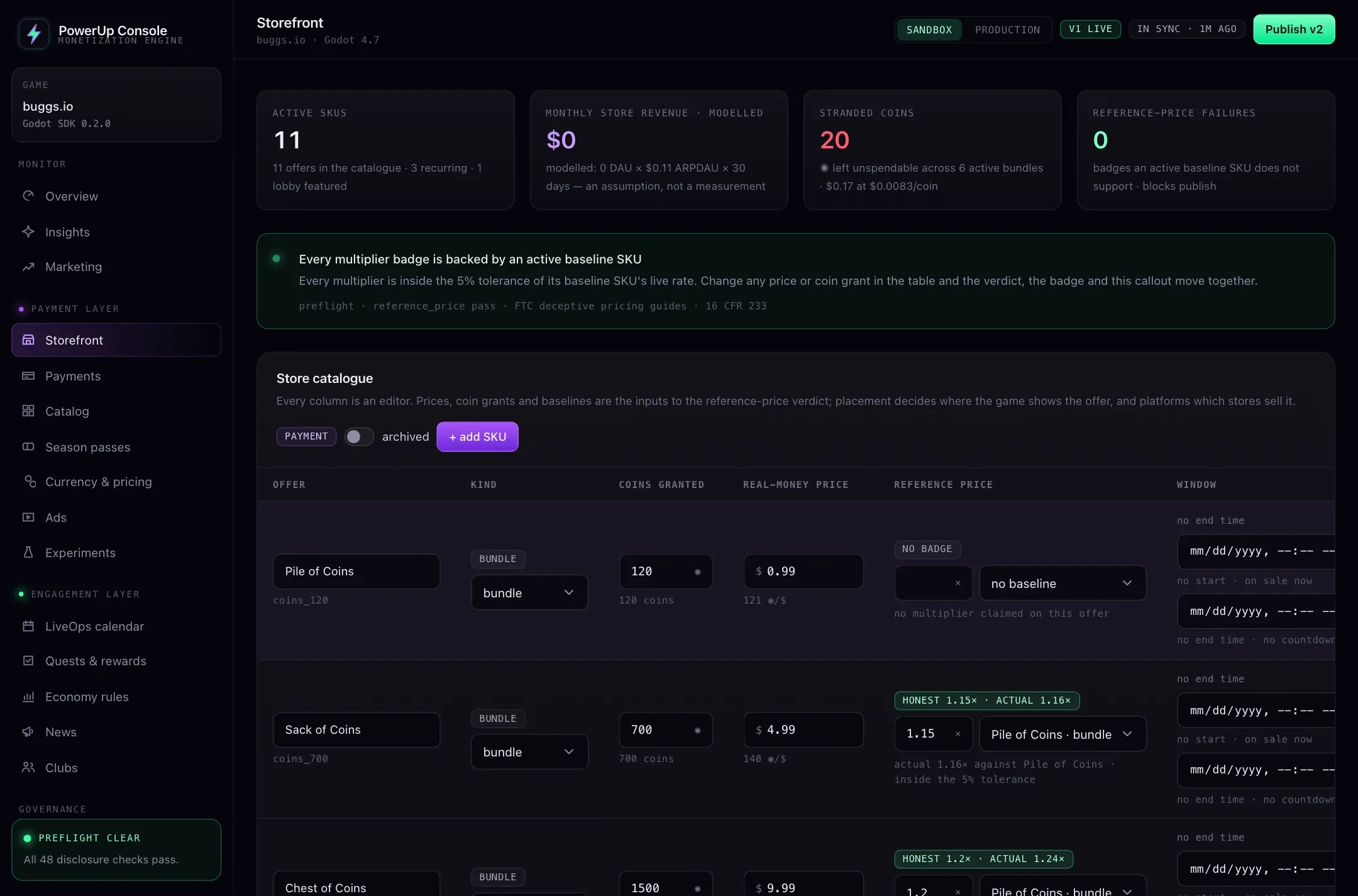
You set up a product once in the console: its price, what it grants and the platforms it sells on. The same product sells through Stripe on web and desktop, the App Store on iOS and Google Play on Android, and every purchase lands in the same wallet and inventory. Store product ids default to the product's key, and you can change them on the Payments page to match what you created in each store. When you publish, a check flags any App Store or Google Play id that isn't well formed or that two products share.
On phones, a card should show the store's own price in the player's currency. The SDK's
PowerUpDisclosure.store_price() takes the prices your plugin got from the store, and
store_has_product() tells you to hide an offer the store didn't return, so nobody taps a product that
can't be bought.
Refunds, restores and entitlements
Refunds. Apple and Google tell PowerUp about refunds through App Store Server Notifications (version 2) and Google Play's real-time developer notifications. A Play refund only counts once Google's own list of voided purchases includes it. Then PowerUp takes back exactly what the purchase gave: items are removed, a pass's premium track closes again (tiers already claimed stay claimed), a store subscription ends, and the coins come off the balance. If the player already spent them, the wallet goes into debt, and spending coins waits until it's paid off. If Apple reverses a refund, everything it took comes back.
Restores. A Restore Purchases button posts what the store says the player owns to
PowerUp.restore(). Items that last and subscriptions come back; coins and other consumables don't. A
purchase can move to a different PowerUp account at most once a week, which keeps one store account
from passing the same items around a group of players. PowerUp has no email login, so on a new phone
Restore is one way back to store purchases, next to a transfer or recovery code.
Entitlements. PowerUp.fetch_entitlements() loads what the player owns, and
PowerUp.is_entitled() checks it locally after that. PowerUp.fetch_subscription() says when a
subscription renews or ends, and gives you the App Store or Google Play subscriptions page for a Manage
button.
The cases that catch people out
- Pending payments. A slow payment method on Android leaves a purchase pending: PowerUp answers
pending, grants nothing and doesn't acknowledge it until it's paid. Ask to Buy on iOS gives the game no transaction at all until a parent approves; then StoreKit delivers it like a renewal. - Test purchases in a live game. A sandbox purchase on your production key is ignored unless the player is marked as a tester in the console. Apple's receipt guidance treats an app in review as running in the sandbox, so the console's App Store settings have an App Review switch that lets sandbox purchases through while your build is in review. Turn it off once the build is approved.
- Family Sharing. PowerUp ignores family-shared App Store purchases, so leave Family Sharing off for your products.
- Someone else's purchase. The account token ties each purchase to the player who started it. A transaction naming another account is refused, and one bought without a token, such as an offer code, belongs to the first player who posts it.
Where buggs.io stands
buggs.io is our own game, made by the same team, and both store flows are already built into its Godot client. Payments aren't switched on in its live setup yet, so today it shows that the integration fits a real Godot game, not a sales record.
Getting started
The SDK isn't public yet: studios get the addon and their keys with early access, and the console shows your API address and keys under Integrations → SDK. Start with getting started, then wire the stores with the iOS and Android guide. If you also sell on the web, web checkout uses the same catalog. The plans are on pricing.